
Download Wopener
Free and Apache 2.0 licensed. Grab the latest build, or compile it yourself.
macOS 26.0 or later. Not yet notarized, so macOS blocks it on first launch — the one-time fix is right below. Kimchi's funding it.
First launch on macOS
Wopener isn’t notarized yet (that costs $99/yr from Apple), so Gatekeeper steps in the first time you open it. Kimchi sponsored the Apple Developer Program, so notarized builds are on the way — until they ship, this is a one-time dance: do it once and macOS never bothers you again.

Double-clicking shows a dead-end "can’t be opened" alert. Instead, right-click (or Control-click) Wopener in your Applications folder and choose Open.
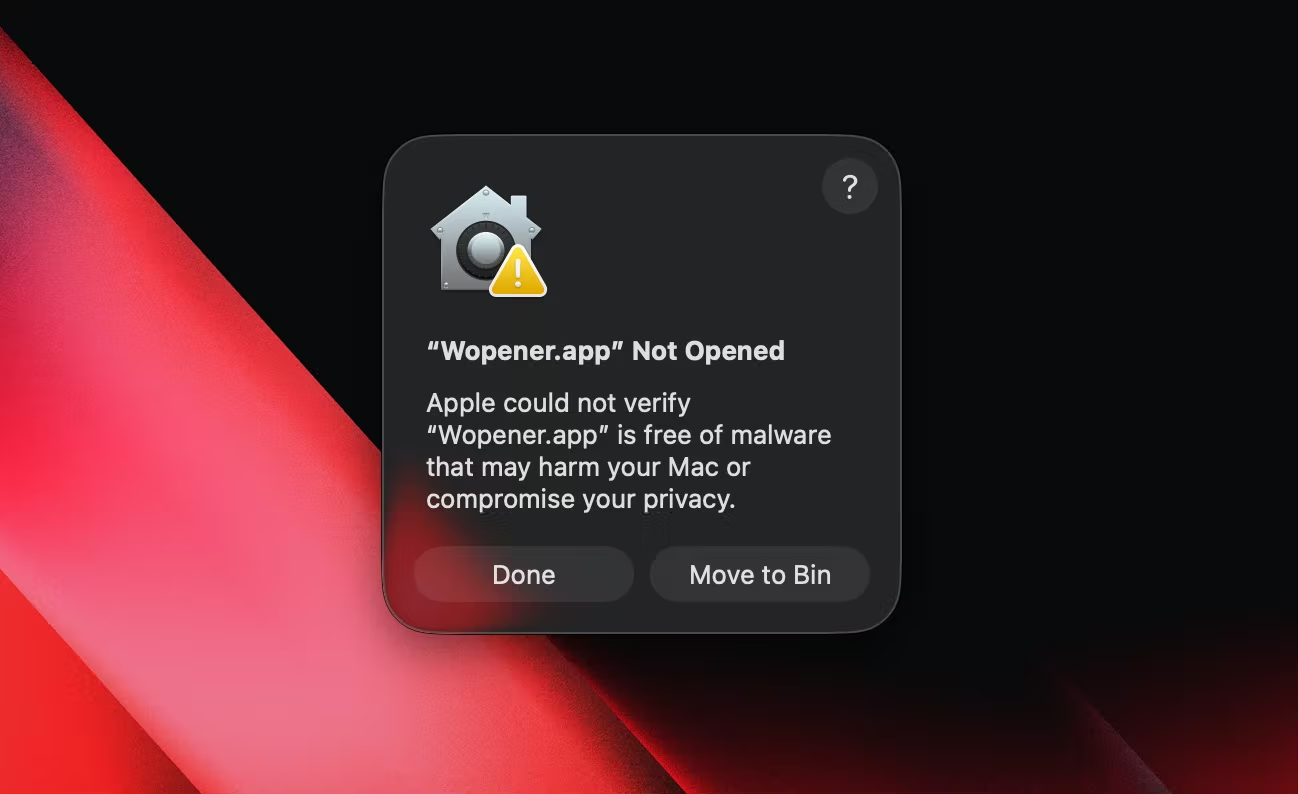
The same warning appears, but this time with an Open button. Click it once — macOS remembers your choice and never asks again.
Prefer System Settings?
Open Wopener once, then go to System Settings ▸ Privacy & Security and click Open Anyway. Or, from a terminal:
xattr -dr com.apple.quarantine /Applications/Wopener.app
Build from source
Requires macOS 26.0 and Xcode 26 or later.
git clone https://github.com/xkaper001/wopener.git
cd wopener
xcodebuild -project Wopener.xcodeproj -scheme Wopener \
  -configuration Debug build
Set it up in seconds
- 1 Open Wopener from your Applications folder.
- 2 In the Browsers tab, click Set as Default Browser.
- 3 Confirm in the macOS dialog that appears.
- 4 Click any link. The picker appears.